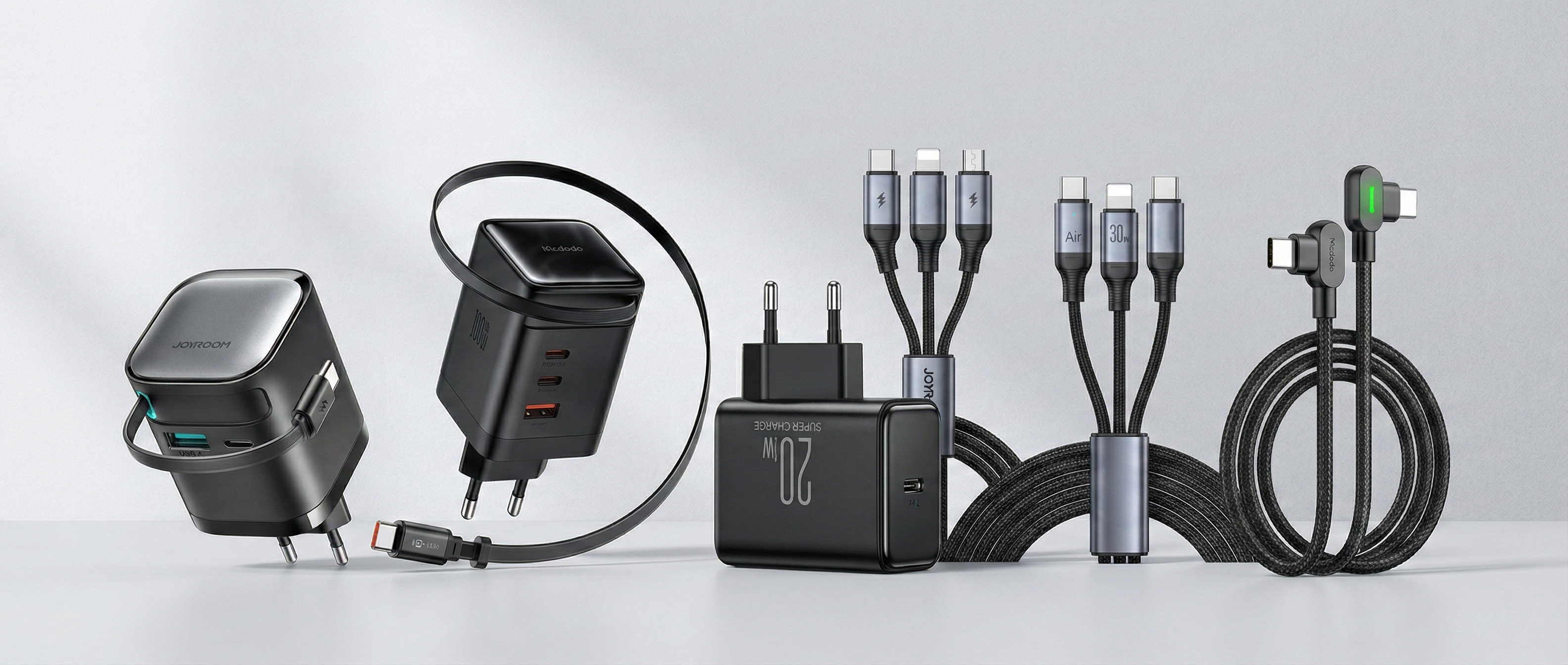
Which Charging Cable Do We Recommend? Here’s What You Need to Know
A charging cable may seem like a simple accessory, but in practice, the right cable makes a big difference. Not only in how fast your device charges, but also in ease of use, durability, and compatibility. Whether you use an iPhone, Android phone, tablet, power bank, or laptop: the right cable helps you get more out of your charger and your devices.
In this blog, we explain which cable we recommend, the differences between 20W, 65W, and 100W/120W, and when it makes sense to choose a USB-C to USB-C cable, a USB-C to Lightning cable, a 3-in-1 cable, or a 90-degree cable.
Why Choosing the Right Charging Cable Matters
Many people focus on the adapter or charger, but forget that the cable is just as important. Even if you use a powerful fast charger, a less suitable cable can slow down your charging speed. Not all cables support the same connections or power levels.
That’s why it’s important to consider:
- the type of connector your device uses
- the maximum charging power you need
- how and where you use the cable
- extra features like multiple connectors, displays, or angled designs
20W, 65W, or 100W/120W: What’s the Difference?
The wattage of a cable determines how much power it can handle. The higher the wattage, the more power can be delivered. That doesn’t automatically mean your device will charge faster, since devices only draw the power they support. Still, choosing the right wattage is important.
20W Cables: Ideal for Smartphones
A 20W cable is sufficient for most daily use. It works perfectly for smartphones, including iPhones, many Android devices, and smaller accessories like wireless earbuds.
Benefits of 20W cables:
- ideal for standard fast charging on smartphones
- generally more affordable
- perfect for home, office, or car use
Less suitable for:
- tablets and laptops with higher power requirements
- users who want one cable for all devices

65W Cables: The Best All-Round Choice
A 65W cable offers the perfect balance. It’s powerful enough for smartphones, tablets, and many laptops, making it ideal if you want one cable for multiple devices.
Benefits of 65W cables:
- suitable for phones, tablets, and many laptops
- faster and more versatile than 20W
- great for work, travel, and everyday use
Who is it for?
For users who don’t want to carry multiple cables and are looking for a balance between speed, compatibility, and convenience.

100W / 120W Cables: Maximum Performance & Future-Proof
If you use a powerful laptop, frequently charge demanding devices, or simply want to be future-proof, a 100W or 120W cable is the best choice. These cables are designed for higher power and maximum flexibility.
Benefits of 100W/120W cables:
- ideal for powerful laptops and heavy users
- future-proof investment
- no limitations if you upgrade to more powerful devices later
Good to know:
A higher wattage cable is not “too powerful” for your phone. Your device only draws what it needs, so a 100W cable works perfectly fine with smartphones.

Our Recommendation: Which Cable Should You Choose?
If you’re looking for one cable that works in most situations, we recommend a USB-C to USB-C cable (100W).
Why?
- works with smartphones, tablets, power banks, and laptops
- supports higher charging speeds
- future-proof
- ideal if you don’t want separate cables for each device
Do you use an older iPhone with a Lightning port? Then a USB-C to Lightning cable is still the right choice for your device.
USB-C to USB-C or USB-C to Lightning?
USB-C to USB-C
USB-C has become the standard for most modern devices, including Android phones, tablets, laptops, power banks, and newer iPhones. This makes USB-C to USB-C the most versatile option for most users.
Choose USB-C to USB-C if you:
- use a modern Android device
- want to charge a tablet, laptop, or power bank
- want a future-proof cable
USB-C to Lightning
If your iPhone still uses a Lightning port, you’ll need a USB-C to Lightning cable for fast charging with modern adapters. This option is mainly relevant for older iPhones and certain Apple accessories.
Choose USB-C to Lightning if you:
- use an iPhone with a Lightning connector
- have Apple devices that don’t support USB-C yet
- want fast charging with a USB-C adapter

When Is a 3-in-1 Cable Useful?
A 3-in-1 cable is ideal if convenience matters more than maximum speed. These cables combine multiple connectors (such as USB-C, Lightning, and Micro-USB), allowing you to charge different devices with one cable.
Benefits of 3-in-1 cables:
- perfect for travel
- fewer cables to carry
- great for households with multiple device types
Things to consider:
- usually not suitable for high-speed charging
- not ideal for laptops or high-power devices
- focused more on convenience than performance
A 3-in-1 cable is best used as a travel or backup solution, not necessarily as your main cable.

Why Choose a 90-Degree Cable?
A 90-degree (angled) cable has a connector that bends at an angle. It may seem like a small detail, but it can significantly improve usability.
Benefits of 90-degree cables:
- more comfortable while gaming or watching videos
- less strain on your device’s charging port
- can help prevent cable damage
If you often use your phone while charging, a 90-degree cable is a smart upgrade.

Chargers with Retractable Cables: Compact and Convenient
Chargers with a retractable cable are becoming increasingly popular—and for good reason. These chargers feature a built-in cable that you can easily pull out and retract back into the charger. No more loose cables, no more tangles, and a much cleaner setup.
Why choose a retractable cable?
- No cable clutter: The cable neatly retracts into the charger housing
- Travel-friendly: No need to carry separate cables
- Adjustable length: Use only the length you need
- Protected design: The cable is less exposed to wear and damage
Things to keep in mind:
- less flexible than separate cables
- if the cable breaks, the entire charger may need replacing
- sometimes slightly reduced performance when charging multiple devices
Best for:
- travelers who want a compact setup
- minimalist desks without cable clutter
- quick and easy charging on the go
Tip:
Use a retractable cable charger as a convenience solution. For maximum performance and flexibility, a separate 100W USB-C cable is still the best choice.

Cables with Displays or Indicators: Useful or Not?
Some cables include a built-in display or LED indicator. These can show charging status, power levels, or whether fast charging is active.
Benefits:
- more insight into the charging process
- easy to check if fast charging is working
- premium look and feel
Are they necessary?
Not really. For most users, this is a nice extra feature rather than a must-have.

What Else Should You Consider?
Durability
Choose cables made from strong materials with reinforced connectors to ensure long-term use.
Length
A longer cable gives you more flexibility, while shorter cables are often more practical for travel.
Compatibility
Always check if the cable matches your device’s connector and power requirements.
Usage
Think about where you’ll use the cable most—home, office, car, or travel.
Final Verdict
The best charging cable depends on your devices and usage, but here’s a simple summary:
- For smartphones: 20W is usually enough
- For phones, tablets, and many laptops: 65W is a great all-round option
- For maximum flexibility and future-proofing: choose 100W or 120W
- For modern devices: USB-C to USB-C is the best choice
- For older iPhones: USB-C to Lightning is still required
- For travel: 3-in-1 cables are very practical
- For comfort: 90-degree cables are ideal
- For extra insight: cables with displays or indicators are a nice upgrade
If you’re unsure, a high-quality 100W USB-C to USB-C cable is the safest and smartest choice for most users.
Looking for the Right Charging Cable?
Browse our collection and choose the cable that fits your devices and lifestyle. Whether you need a fast USB-C cable, a Lightning cable for your iPhone, a versatile 3-in-1 cable, or an angled cable for extra comfort—make charging faster, smarter, and easier.